
Rewrite text
Use Rewrite to improve wording without changing the main meaning. Text stays in the same language.
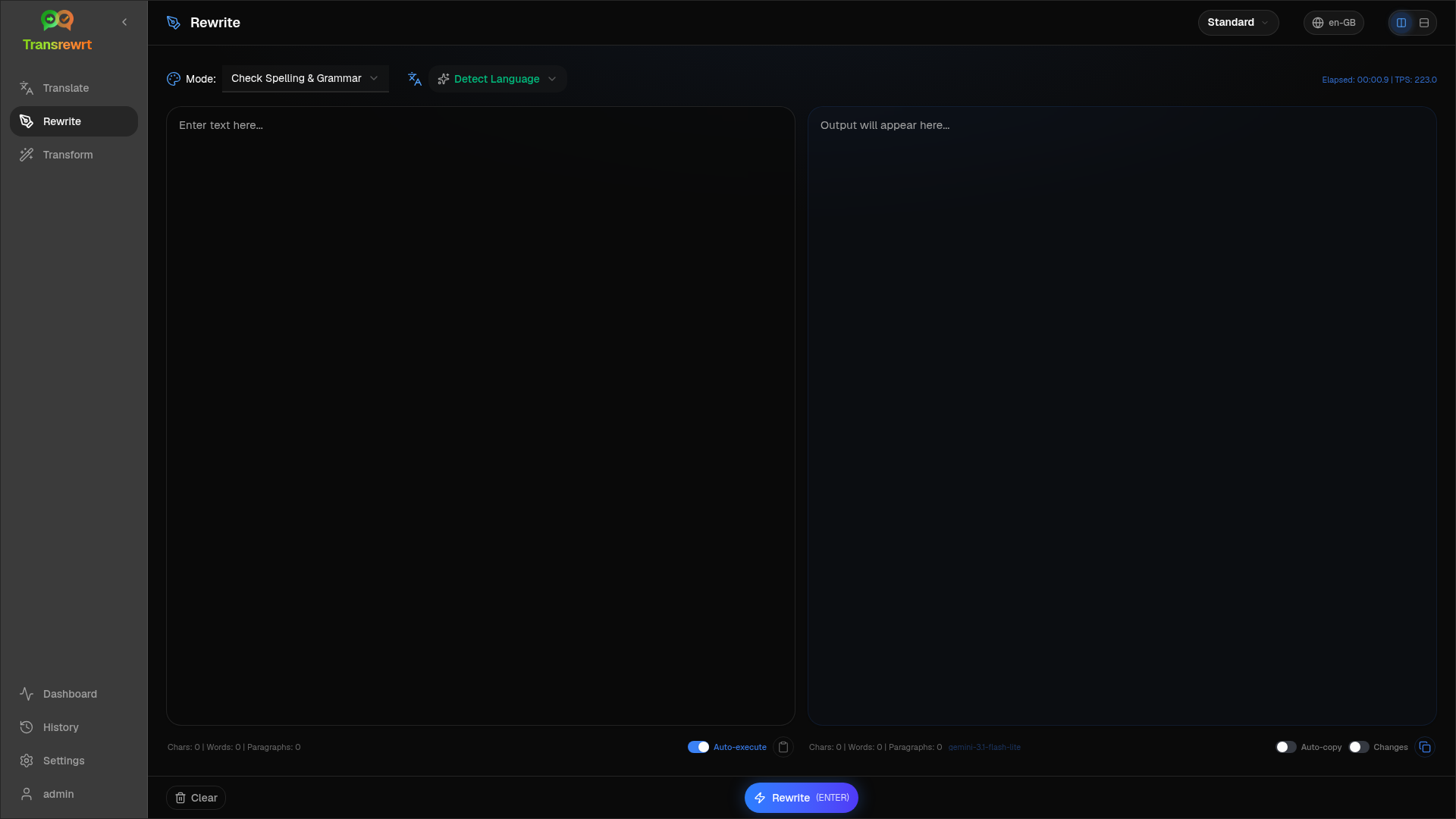
Modes include:
- Check Spelling & Grammar
- Improve Clarity
- Alternative versions (several reformulations in one run)
- Make Formal / Make Informal
- Shorten / Expand
- Make Technical
Rewrite text
Section titled “Rewrite text”- Open Rewrite.
- Choose a Mode.
- Optionally set From to the language of your text (or leave Detect Language).
- Type or paste text into Input.
- Click Rewrite.
- Read the result in Output.
The layout toggle and keyboard shortcuts work the same as in Translate.
Refine a rewrite
Section titled “Refine a rewrite”After a successful run, Rephrase… and the version dropdown appear on the output side (same idea as Translate, but the text stays in the same language and keeps the current Mode):
- Rephrase… (no selection) — another full rewrite with different wording. Up to five versions. Click Stop Rewrite to cancel.
- Word alternatives — select text, then right-click or Rephrase….
- Each request may add usage cost.