
Translate, rewrite, and transform text
with AI — your keys, your models, your host.
An open-source AI-powered text tool for translating between languages, rewriting in different styles, and transforming text with custom prompts — using multiple AI providers. Runs as a desktop app or a Docker web app.
Three pillars
One tool for three text workflows
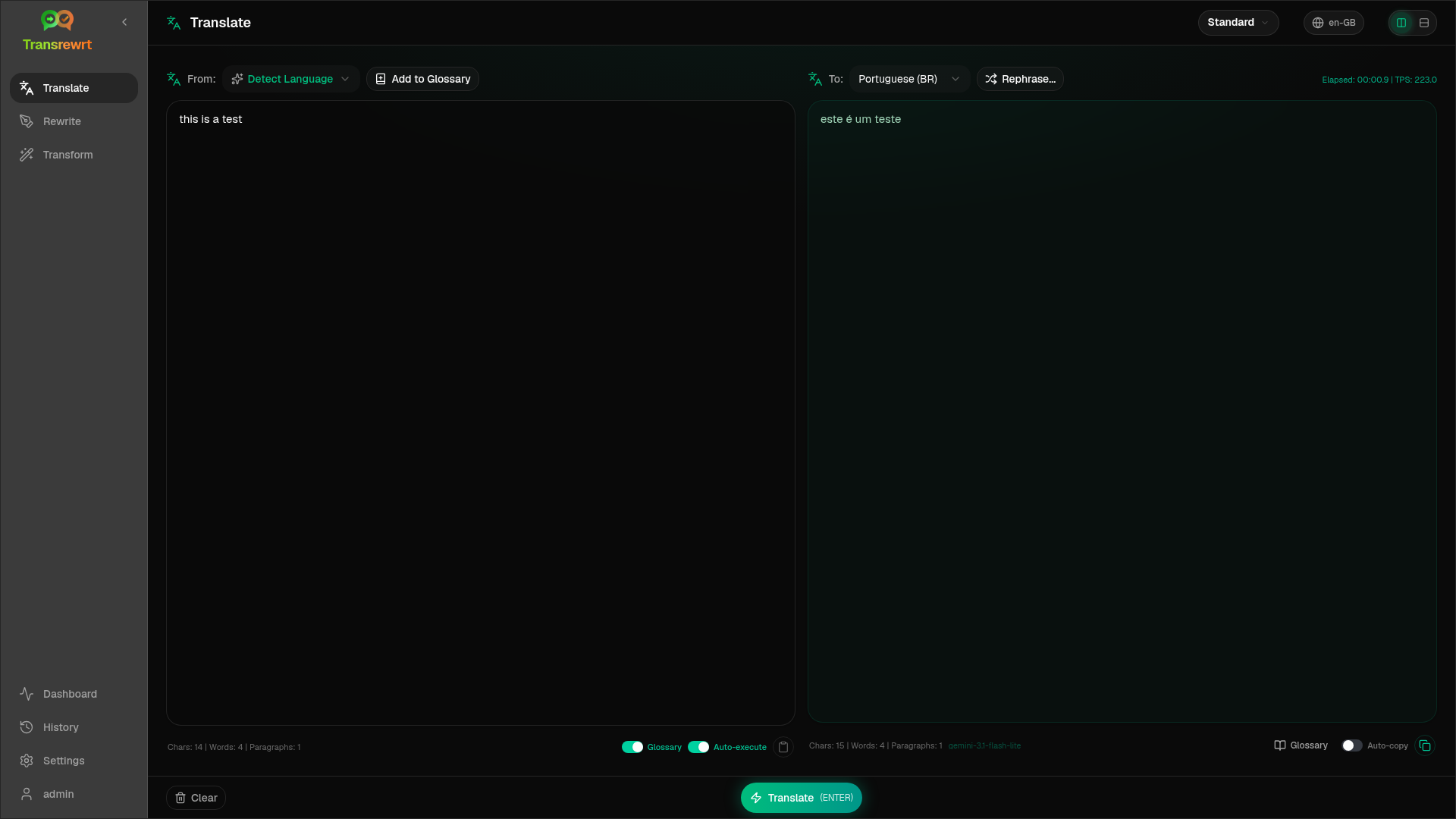
Translate between languages, rewrite in the same language, and transform text with your own custom prompts — all in a single, coherent workspace.
Translate
Translate between dozens of languages with automatic source detection. Keep terminology consistent with per-language-pair glossaries, then refine with Rephrase and word alternatives.
- Automatic source language detection
- Glossary for consistent terminology
- Rephrase up to five versions
- Word alternatives on selection
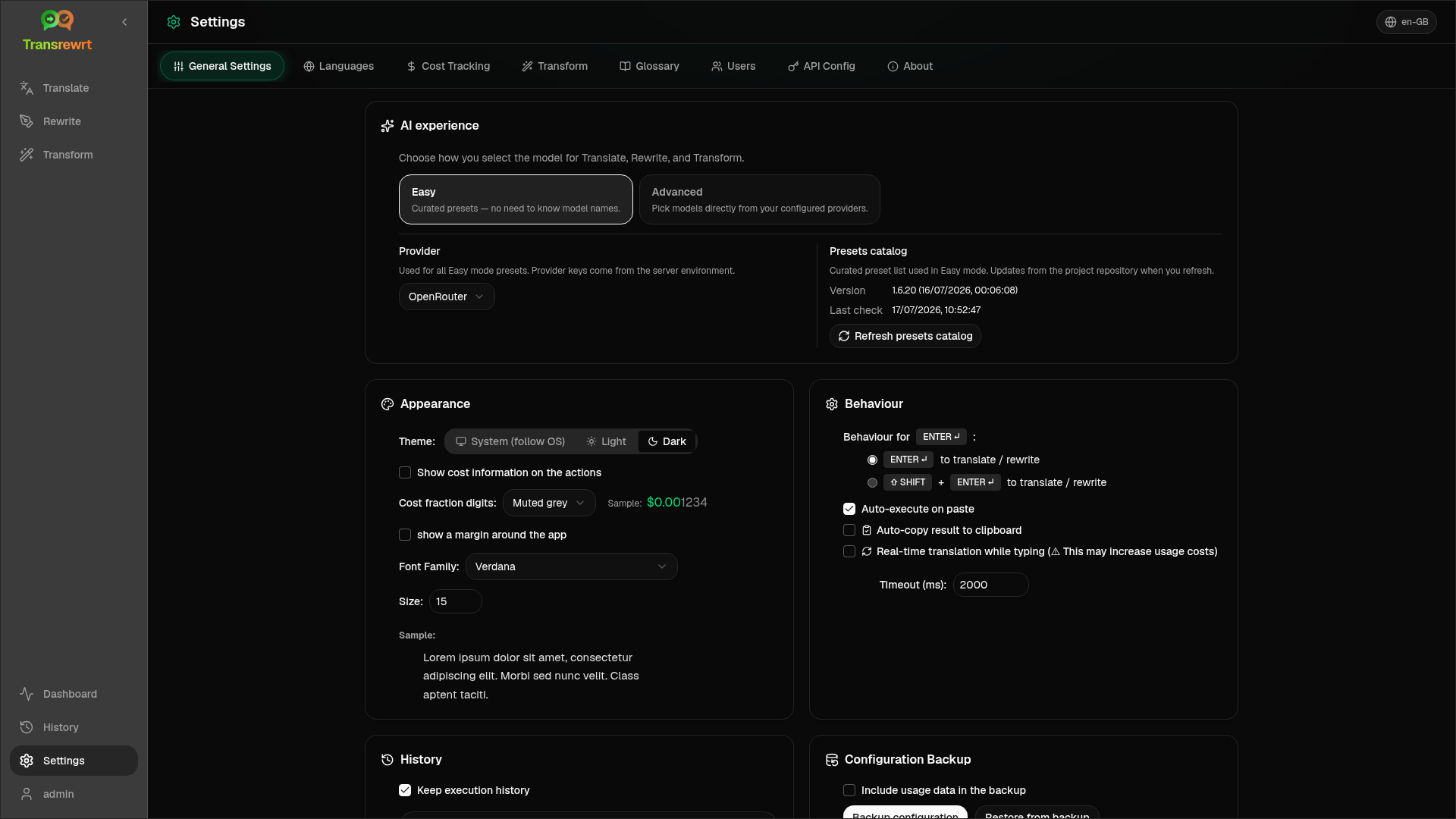
- Auto-execute on paste, auto-copy result
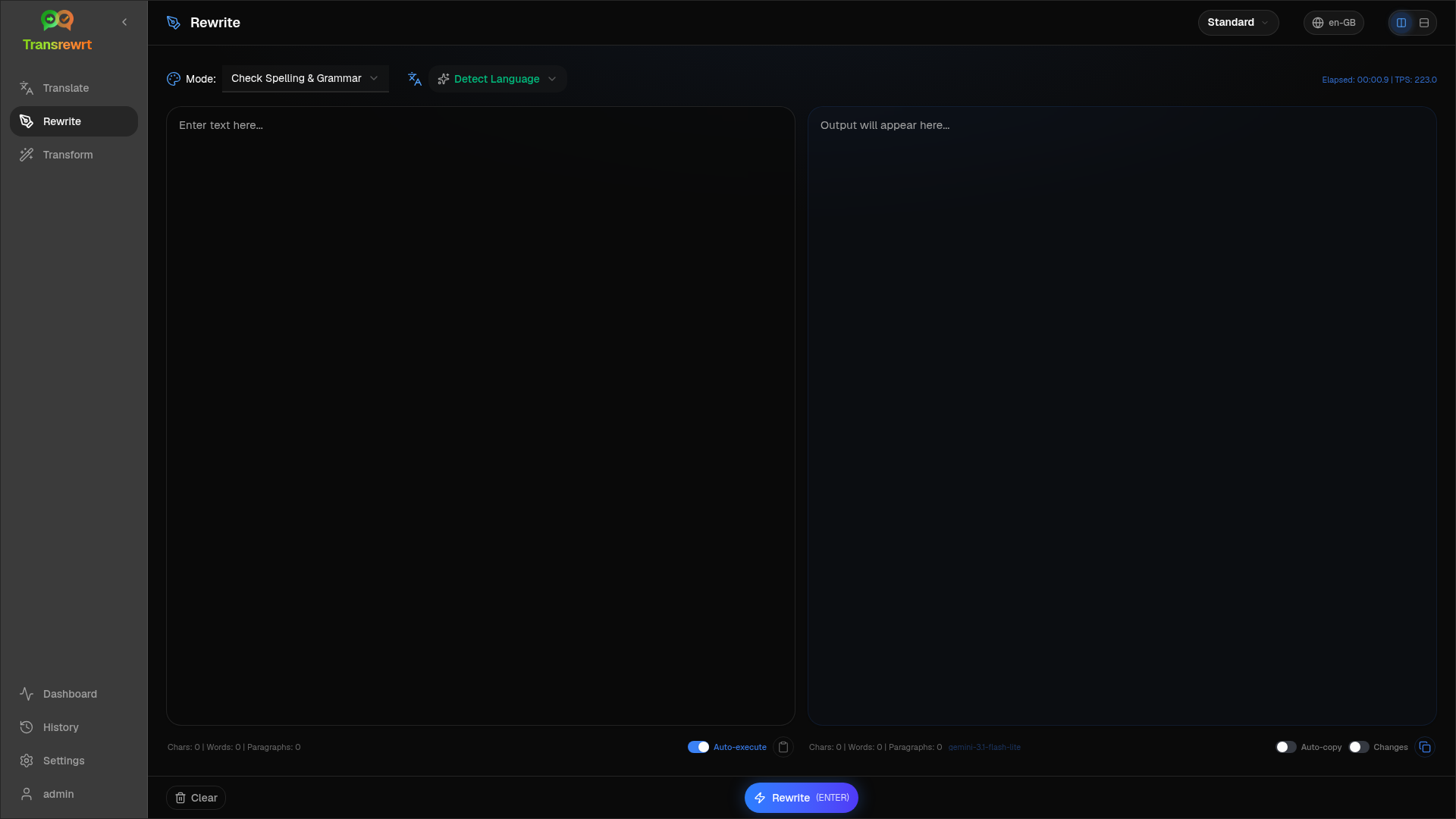
Rewrite
Rewrite in the same language for clarity, tone, length, or grammar. Get several alternative versions in one run, with optional Show changes diffs for spelling and grammar fixes.
- Check Spelling & Grammar with Show changes
- Improve Clarity
- Alternative versions in one run
- Make Formal / Informal
- Shorten, Expand, Make Technical
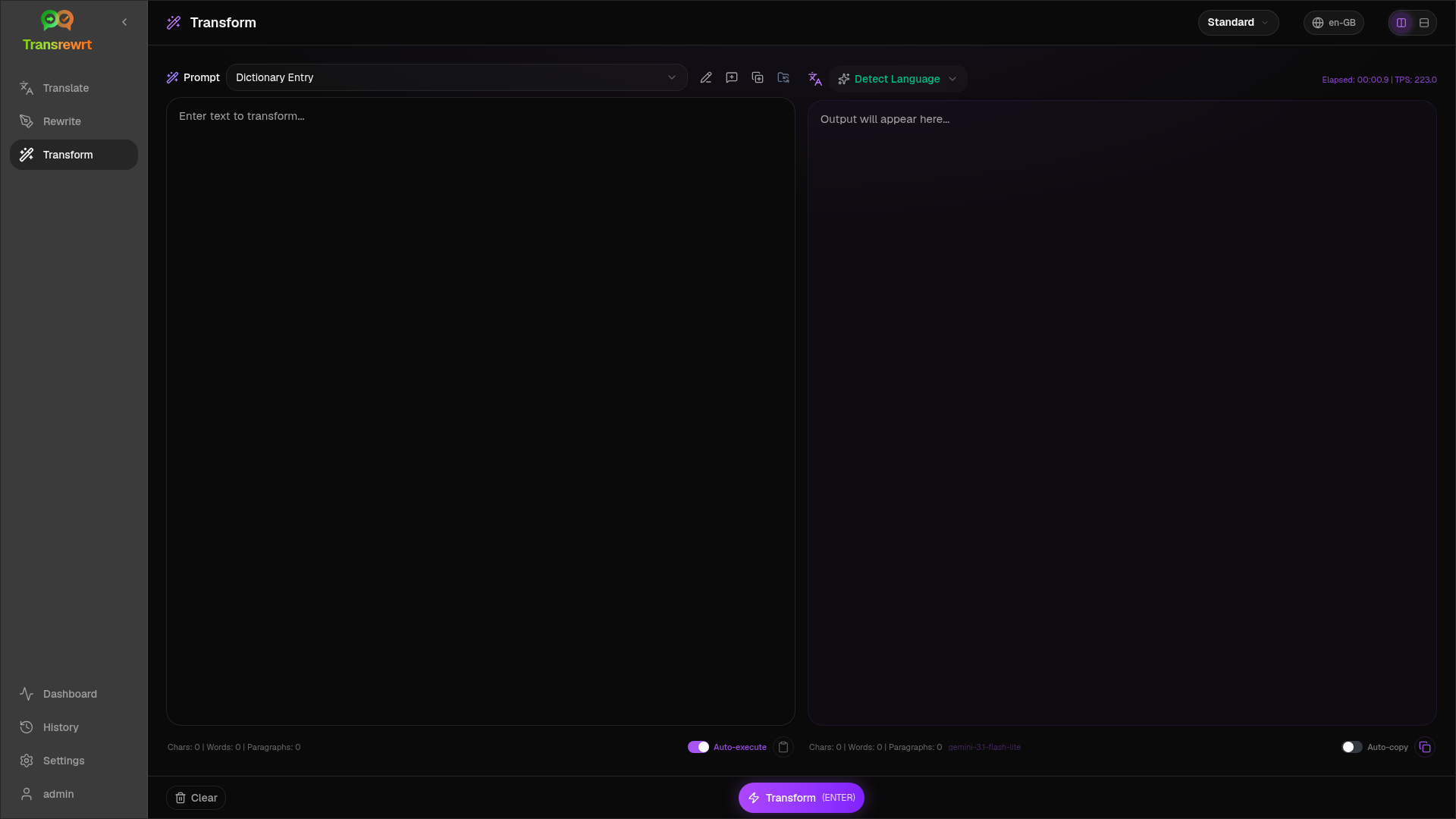
Transform
Run your own AI instructions on any text. Create, edit, and test custom prompts with an optional target language — summarise, polish email, extract key points, reformat, or any workflow you build.
- User-defined AI instructions
- Create, edit, manage, and test prompts
- Optional target language per prompt
- Summarise, polish, extract, reformat
- Any custom workflow you can prompt
Why Transrewrt
Built for control, not lock-in
Transrewrt is not a cloud SaaS. It is an open-source tool that runs on your machine or your own server — with the providers, keys, and models you choose.
Your keys, your models
Bring your own API keys for any provider — or run local models via Ollama, LM Studio, llama.cpp, or another OpenAI-compatible server. Desktop stores keys encrypted at rest; Docker keeps provider keys in environment variables, never typed into the browser.
Easy presets, Advanced control
Easy mode offers curated presets — Free, Standard, Advanced, Technical — mapped per provider. Switch to Advanced for the full model list with namespaced IDs. No need to memorise model names unless you want to.
Glossary for consistency
Per-language-pair glossaries keep brands, titles, and product names consistent across translations. Import and export glossaries as CSV or XLSX from Settings.
History & cost visibility
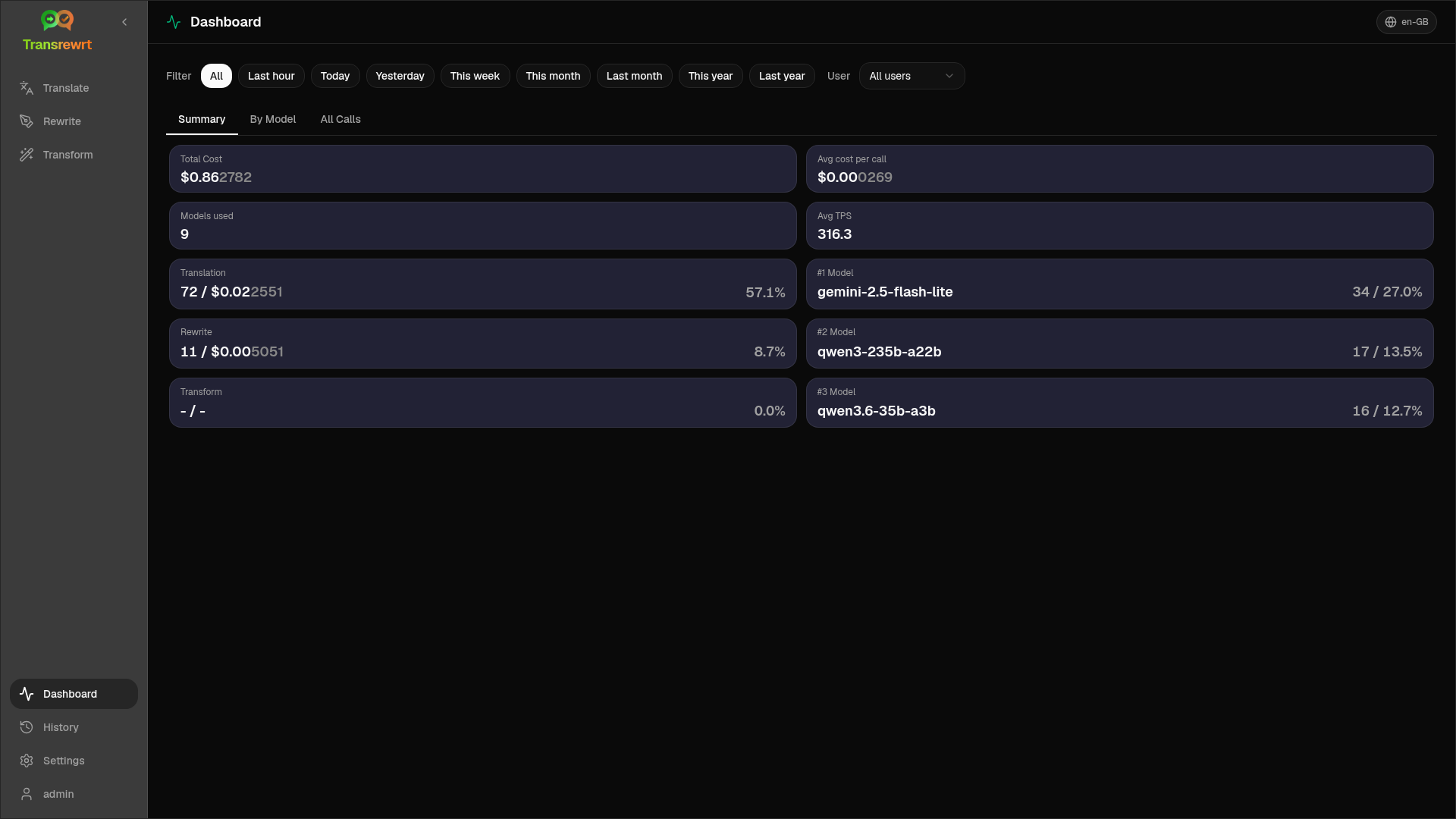
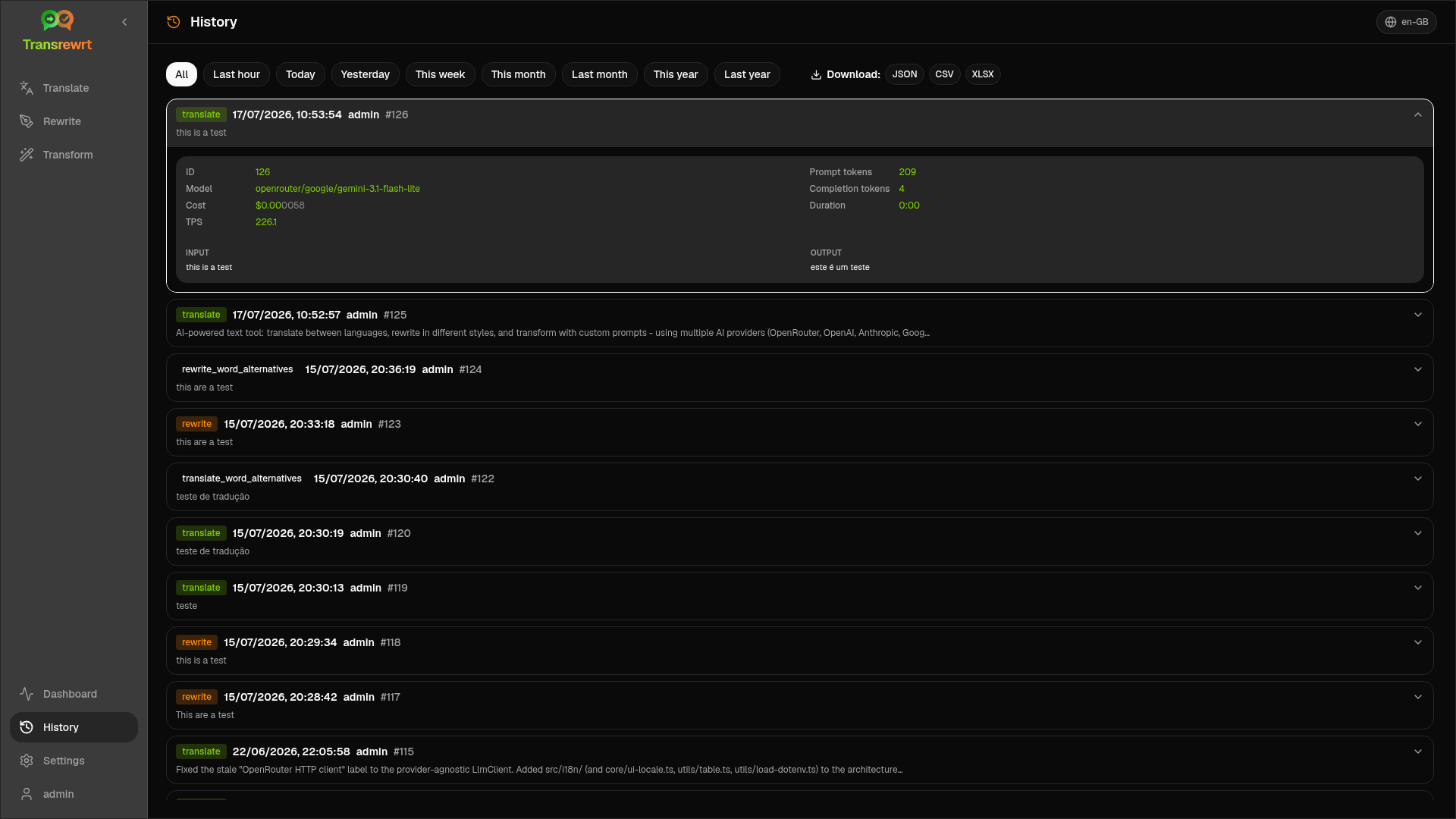
Full execution history with filtering and export — disable it for privacy mode. The dashboard shows usage and cost across Summary, By Model, and All Calls views.
Desktop & Docker web app
Install on Windows, Linux (x64 or arm64), or macOS (unsigned DMG for Apple Silicon and Intel), or run the Docker web app with multi-user support, admin roles, and a persistent data volume on /app/data.
Open source, no lock-in
Apache 2.0 licensed and free to deploy with Docker. You pay only your own AI providers when using paid models — there is no Transrewrt cloud account and no pricing tier.
History, cost, and dashboard
Track usage and spend across providers, with exportable history you can disable for full privacy.
Providers
Bring your own key to any provider
Transrewrt supports many AI engines under one workflow — including local models via Ollama, LM Studio, llama.cpp, or any OpenAI-compatible local server.
Any OpenAI-compatible custom endpoint is also supported. Provider names are shown for identification only; Transrewrt is not affiliated with or endorsed by any provider.
Get started
Four ways to run Transrewrt
Pick the path that fits you — Windows, Linux, macOS, or the Docker web app. All paths are free and open source.
Windows installer
Download the installer from GitHub Releases and run it. Keys are configured in Settings → API and stored encrypted at rest.
Download for WindowsLinux AppImage
Grab the AppImage for x64 or arm64 (including Raspberry Pi–class devices) from Releases. Make it executable and run.
Download for LinuxmacOS disk image
Download the unsigned .dmg for Apple Silicon (arm64) or Intel (x64) from Releases. Drag Transrewrt to Applications. On first launch, right-click the app and choose Open.
Download for macOSDocker / web app
Pull the image and run with your provider keys as env vars. Open localhost:5000 and change the default admin password before exposing.
View Docker imageRun with Docker
docker pull ghcr.io/wsj-br/transrewrt:latest

PROVIDER_API_KEY=sk-or-your-key docker run -d \
  -p 5000:5000 \
  -v transrewrt-data:/app/data \
  -e PROVIDER_API_KEY \
  --name transrewrt \
  ghcr.io/wsj-br/transrewrt:latest
Replace PROVIDER_API_KEY with your provider(OPENROUTER_API_KEY, ANTHROPIC_API_KEY, XIA_API_KEY, ...). Open the web UI at http://localhost:5000 and change the default admin password before exposing the service.
For teams running their own server
A web UI you run yourself
The Docker image turns Transrewrt into a multi-user web app with admin controls and server-side key management — ideal for teams who want one shared deployment without a cloud lock-in.
Multi-user with admin roles
The web mode supports multiple users and admin roles, so a team can share one deployment without handing out root.
Keys in environment variables
Provider API keys are set via environment variables — never typed into the browser UI — so they stay on the server.
Persistent data volume
Persist state and history on a volume mounted at /app/data. Back it up, migrate it, or snapshot it like any other volume.
Privacy-friendly history
History can be disabled entirely for privacy mode. When enabled, it is filterable and exportable per user.
Open source
Free, open, and built in the open
Transrewrt is released under the Apache License 2.0. Version 1.6.4 is the current release. Star the repo, file issues, or read the docs — contributions are welcome.