
Overview
Transrewrt is an open-source AI-powered text tool for:
- Translate — between dozens of languages, with automatic source detection and glossaries
- Rewrite — fix grammar, improve clarity, change tone or length
- Transform — run your own custom AI prompts on any text
It supports many AI providers (OpenRouter, OpenAI, Anthropic, Google Gemini, DeepSeek, Groq, Mistral, xAI, Cerebras, NVIDIA, Alibaba Cloud, apikey.fun, OpenAI-compatible endpoints, and local OpenAI-compatible servers such as Ollama, LM Studio, or llama.cpp). Run it as a desktop app (Windows / Linux / macOS) or a Docker web app.
Your keys, your models, your host — there is no Transrewrt cloud account.
How the window is organised
Section titled “How the window is organised”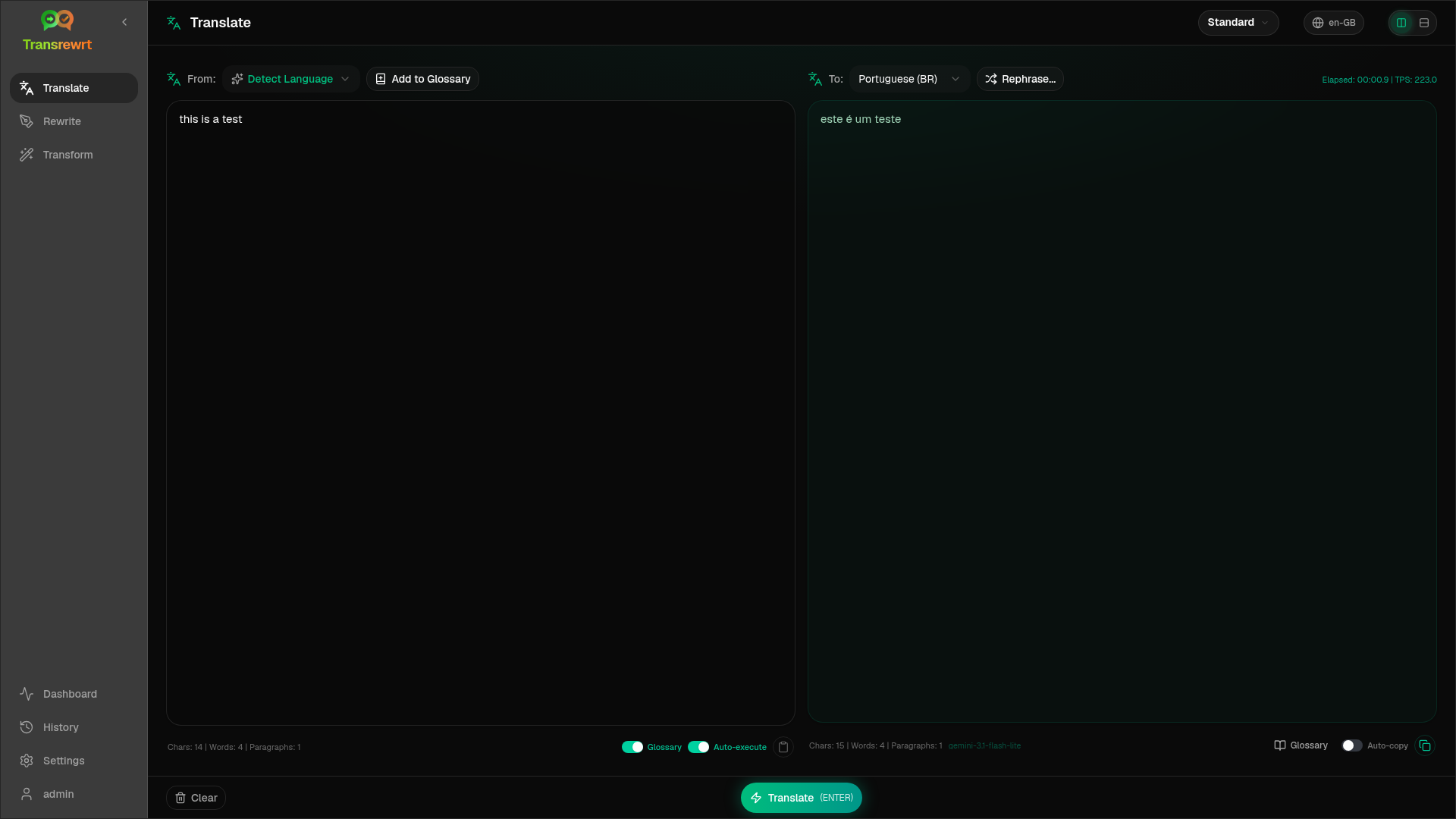
- Sidebar — the main navigation: Translate, Rewrite, Transform, Dashboard, History, Settings (and the logged-in user on web).
- Toolbar — the page title, the preset (Easy) or model (Advanced) selector, the Interface language (globe icon; does not change Translate From/To), and Help (?) linking to these docs. The preset/model menu can also Switch to Easy/Advanced mode (above Open Settings).
- Work area — the Input and Output panels, with counts, timing, TPS, and optional cost. The action bar shows a small app version link (bottom-right) to the GitHub Pages site.
By default the app runs in Easy mode: pick a preset and a Provider in Settings. Switch to Advanced under Settings → General Settings for a full model list, or use the switch in the toolbar preset/model menu.
Get started
Section titled “Get started”- Quick start — install desktop or run with Docker
- API key — connect a free OpenRouter key or another provider
- Configuration — environment variables, config paths, web auth