Duplicati Versions
This page shows the latest Duplicati release versions stored in the duplistatus cache and lets administrators configure how often those versions are refreshed from GitHub.
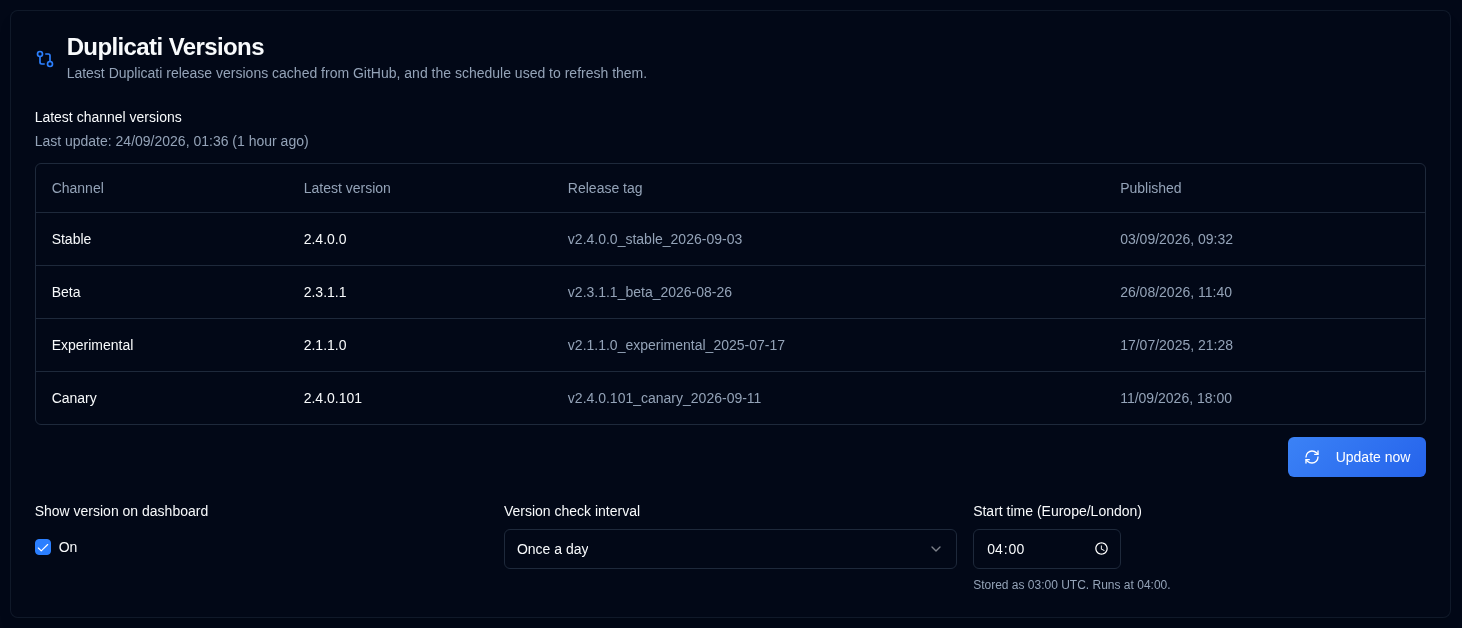
The cache is used by the dashboard and the Servers page to colour each server version and show whether it is current or outdated.
Latest channel versions
The table lists the latest cached version for each Duplicati channel:
| Channel | Description |
|---|---|
| Stable | Latest stable release |
| Beta | Latest beta release |
| Experimental | Latest experimental release |
| Canary | Latest canary release |
The last successful GitHub update time is shown above the table. If a channel has not been found yet, or the cache has never been updated, the page shows that the version is unavailable.
Administrators can click Update now to fetch the latest releases immediately. This does not require the cron service to be running. If GitHub cannot be reached, duplistatus keeps the previous cache.
Version check schedule
Show version on dashboard turns the version badge on or off in the dashboard card view. The dashboard table always shows the Version column. It is on by default and is also available in Display Settings. This is a per-user display preference.
Administrators can choose how often duplistatus checks GitHub for new Duplicati releases:
| Interval | Runs |
|---|---|
| Once a day | Once at the configured start time |
| Every 12 hours | At the start time and 12 hours later |
| Every 6 hours | At the start time and every 6 hours after that |
The start time is chosen in your browser timezone using the same compact time control as Daily Summary. Pick any HH:mm time. duplistatus stores that value in UTC and the cron service runs the check in UTC.
Examples:
- Daily with a start time of 06:00 runs at 06:00.
- Daily with a start time of 06:30 runs at 06:30.
- Every 12 hours with a start time of 08:15 runs at 08:15 and 20:15.
- Every 6 hours with a start time of 02:45 runs at 02:45, 08:45, 14:45, and 20:45.
On startup, duplistatus also refreshes the cache if it is older than the selected interval (24 hours, 12 hours, or 6 hours), including on a new empty database. Transient GitHub failures such as HTTP 504 are retried. Failed refreshes keep the last cached versions.
Regular users can view the cached versions and schedule, and can turn Show version on dashboard on or off. Only administrators can change the interval, start time, or force an update.
Changing the schedule writes a duplicati_version_check_updated entry to the audit log. Successful and failed GitHub updates are recorded as duplicati_version_refresh with a trigger of startup, cron, or manual.