Display
Configure user interface and display preferences.
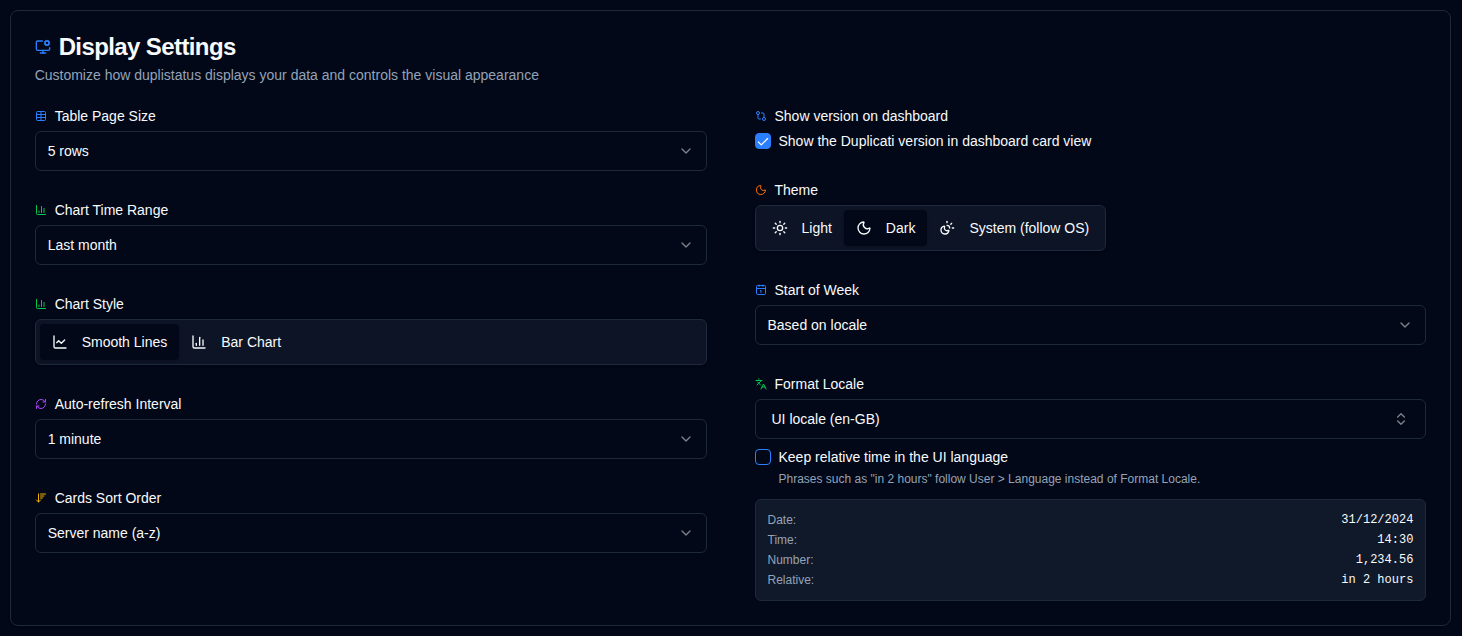
| Setting | Description | Default Value |
|---|---|---|
| Table Size | Number of rows per page on the server details page. | 5 rows |
| Show version on dashboard | Show or hide the Duplicati version on dashboard cards. The dashboard table always shows the Version column. Also available in Duplicati Versions. | On |
| Theme | Choose light, dark, or match your operating system appearance (prefers light/dark mode). | Follow OS when unset |
| Chart Time Range | Time interval shown in the charts. Available options: 1W (last 7 days), 2W (last 14 days), 1M (last 30 days), 3M (last 90 days). You can also toggle time range directly from chart headers. | 1 month |
| Chart Style | Choose between smooth line charts or bar chart visualization. Both modes use time-bucket aggregation for optimal display. You can also toggle directly from chart headers. | Smooth lines |
| Format Locale | Select a formatting locale independent of your UI language (416 locales supported). This affects how dates, times, and numbers are displayed. Relative-time phrases (for example "in 2 hours") follow Format Locale unless Keep relative time in the UI language is enabled. A live preview includes date, time, number, and a relative-time sample. Example: UI language = German, Format locale = English (UK) → German UI with UK date formats. | Based on UI language |
| Keep relative time in the UI language | When enabled, phrases such as "in 2 hours" follow User → Language instead of Format Locale. Dates, times, and numbers still use Format Locale. Off by default. | Off |
| Auto-refresh Interval | How often pages refresh automatically. | 1 minute |
| Cards Sort Order | How cards are sorted on the dashboard. | Server name (a-z) |
| Start of Week | Configure when the week starts. | Based on locale |
tip
Quick Access: You can quickly access this page by right-clicking on the auto-refresh button in the application toolbar.