API Keys
Administrators can create scoped API keys for the external HTTP APIs that Duplicati and Homepage use. Keys are optional by default so existing Duplicati jobs keep working.
Scopes
| Scope | Endpoints |
|---|---|
| Upload | POST /api/upload |
| Read | GET /api/summary, GET /api/lastbackup/:id, GET /api/lastbackups/:id |
An upload key cannot call the read APIs, and a read key cannot upload reports.
Creating a key
- Open Settings → API Keys.
- Click Create API Key at the bottom of the API Keys card.
- Enter a name, choose a scope, and optionally set an expiry (
YYYY-MM-DD). - Generate the key and copy the secret immediately. It is shown only once in the dialog.
- The list afterwards shows a fingerprint such as
Qk7v…3xTa(first and last four characters), the expiry date, and status. The same fingerprint appears in the audit log.
Disable or delete
Use the checkbox in the Actions column to disable a key without deleting it. Disabled keys cannot authenticate. Tick the checkbox again to re-enable the key. Expired keys cannot be enabled; create a new key instead. Delete removes the key permanently.
Expiry
An optional expiry date is the last calendar day the key remains valid. It expires at 23:59:59 on that day in the browser’s local timezone, not at midnight at the start of the day.
Choosing 2026-12-01 builds 2026-12-01T23:59:59 locally, then stores that instant as UTC. For a browser in UTC+1 that is 2026-12-01T22:59:59.000Z. The key stays valid through 1 December and is treated as expired from 23:59:59 local onward (expires_at <= now). The API Keys table shows the expiry date (or Never if none was set). After that instant the Status badge changes to Expired (grey); expired keys cannot authenticate even if they were left enabled.
Using a key
Duplicati cannot set custom headers. Put the key in the report URL:
--send-http-json-urls=https://your-host/api/upload?api_key=YOUR_KEY
Homepage widgets can use the same query parameter:
url: http://your-host/api/summary?api_key=YOUR_READ_KEY
Clients that can send headers may use X-Api-Key or Authorization: Bearer instead. Query-string keys appear in reverse-proxy access logs.
Require keys
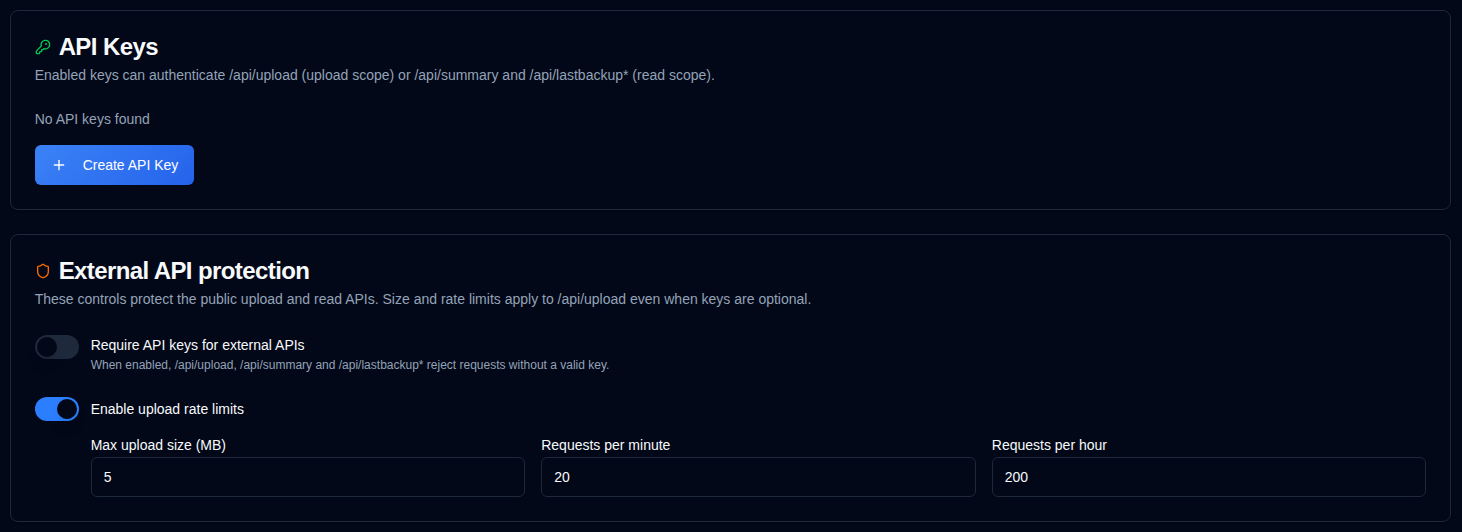
The Require API keys for external APIs switch is off by default. While it is off, requests without a key are allowed. If a client still sends a key, a valid matching-scope key is accepted and recorded; an invalid, disabled, expired, or wrong-scope key is ignored and the request is still allowed. When you turn the switch on, the four external data APIs return 401 without a valid key (and reject bad keys). Enable at least one upload key and one read key first, or Duplicati uploads and Homepage widgets will stop. Changes save automatically.
External API protection
The same page can require API keys for the public upload and read APIs, and configures a maximum body size (default 5 MB) and per-IP rate limits for /api/upload. Size and rate limits apply even when keys are optional and are the main defence against flooding. Switches and limit fields save automatically; there is no separate Save button.
See also IP Allowlist. IP Allowlist and API Keys are independent features; you can use either one or both together. Enabling both increases security by restricting access based on IP address and requiring an API key.