Delivery failures
A button with a soft red tint appears in the Application Toolbar for administrators while email or ntfy delivery is failing. It stays hidden when both channels are healthy, and it is not shown on the login page. Regular users do not see it.
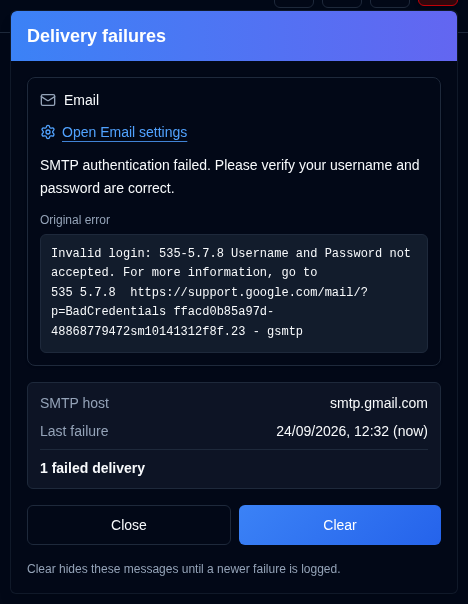
Open the button for one card per failing channel (Email, ntfy), not one row for every audit entry. Each card shows:
- The error, and a monospace Original error when the SMTP reply was logged
- The SMTP host or the ntfy topic
- The last failure time
- How many deliveries have failed since the last success, or since you last cleared that channel
Open Email settings goes to Settings → Email. Open NTFY settings goes to Settings → NTFY.
Close only dismisses the panel. Clear hides the listed channels until a newer failure is logged, even when the error text is the same. A later successful delivery keeps the button hidden. That includes email_sent, notification_sent, and a successful Daily Summary send for that channel.