Overview
The Settings page offers a unified interface for configuring all aspects of duplistatus. You can access it by clicking the Settings button in the Application Toolbar. Note that regular users will see a simplified menu with fewer options compared to administrators.
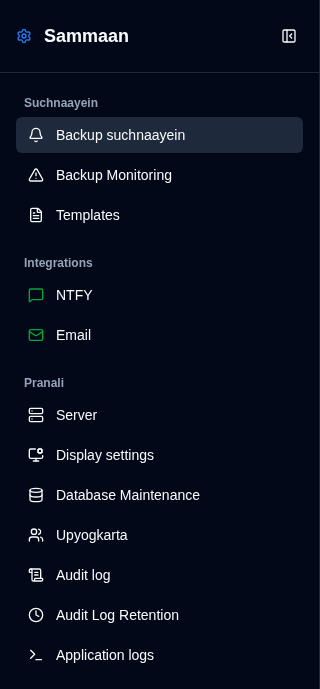
Administrator View
Administrators see all available settings.
|
|
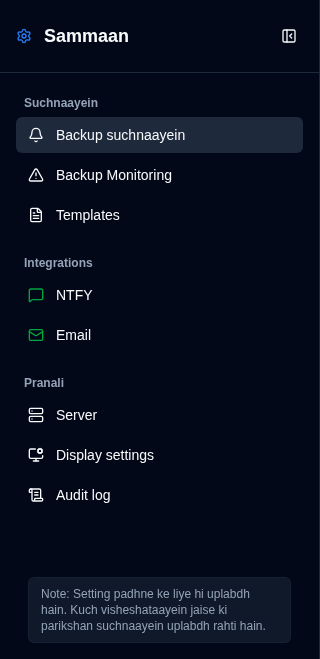
Non-Administrator View
Regular users see a limited set of settings.
|
|
Status Icons
Sidebar mein NTFY aur Email integration settings ke bagal mein status icons dikhaye jaate hain:
- Hara icon: Aapki settings vaidh hain aur sahi dhang se configure ki gayi hain
- Peela icon: Aapki settings vaidh nahin hain ya configure nahin ki gayi hain
Jab configuration avaidh hota hai, to Backup Notifications tab mein sambandhit checkboxes greyed out aur disabled ho jayenge. Adhik vivaran ke liye, NTFY Settings aur Email Settings pages dekhein.
Hara icon avashyak roop se yeh nahin batata ki notifications sahi dhang se kaam kar rahi hain. Un par nirbhar hone se pehle apni notifications ke kaam karne ki pushti karne ke liye hamesha uplabdh test features ka upyog karein.